Document requests and tax-form reading
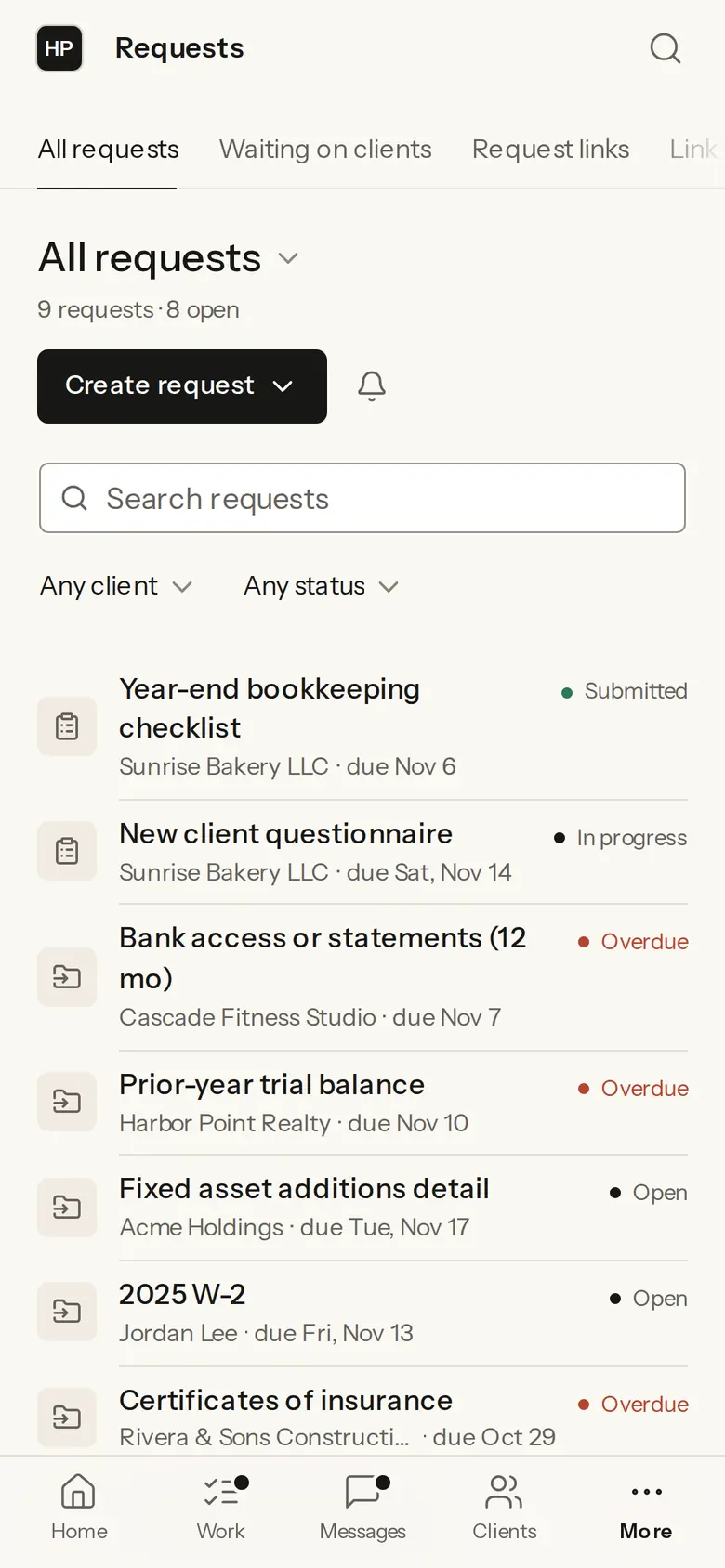
Firmary sends clients document requests with instructions and due dates, and reads the tax forms they send for a person to check.

What it does
Document requests and checklists go to clients with instructions and due dates.
Requests are saved as templates the firm reuses.
Files a client sends without a request land in a review queue.
Firmary reads W-2s, 1099s, 1098s and other tax forms, proposing the form type, tax year and each box’s value for a person to check.
Every document is scanned for viruses on upload, kept with its earlier versions and filed on the client.
Staff deliver finished documents and can ask the client to approve a draft, such as a return or financial statements.
Who it’s for
Staff who collect documents from clients every season.
Firms that want W-2s, 1099s and 1098s read before a person checks them.
How it works
- 1
In Firmary, open Requests and choose Create request, or start from a saved template.
- 2
Add the documents you need, the instructions and a due date.
- 3
The client uploads in PocketFirm; you check each file and each form Firmary has read.
What’s included
Document requests and checklists with instructions and due dates, saved as templates.
A review queue for files sent without a request.
Tax-form reading, a virus scan on every upload and each document’s earlier versions.
Details
- Tax forms read
- W-2, 1099, 1098 and others: form type, tax year and each box’s value, for a person to check
- Cloud storage
- Google Drive, OneDrive or Dropbox
Limits
Not sold on its own: it comes with Firmary.
Tax-form reading proposes values; a person checks them before they’re used.
Firmary doesn’t pull IRS transcripts.
Price
Comes with Firmary, from $125 a month
It isn’t sold on its own. The price depends on your plan, your firm’s size (staff or active clients) and whether you pay monthly or yearly. Request a quote for your firm.
Questions
- What does Document requests and tax-form reading cost?
- Comes with Firmary, from $125 a month. It isn’t sold on its own. The price depends on your plan, your firm’s size (staff or active clients) and whether you pay monthly or yearly. Request a quote for your firm.
- Which tax forms does Firmary read?
- W-2s, 1099s, 1098s and others. It proposes the form type, tax year and each box’s value for a person to check.
- Where do the documents go?
- Each document is filed on the client in Firmary, with its earlier versions. A firm can also connect Google Drive, OneDrive or Dropbox.
- Are uploads checked for viruses?
- Yes. Every document is scanned for viruses on upload.
Support
Email support@firmary.app, or start from Firmary’s help and setup page.
Goes with
- Forms and organizersWith FirmaryFirms build their own client forms in Firmary, from scratch, from a plain-words description or from an existing fillable PDF, and gather them in organizers.
- PocketFirm by FirmaryWith FirmaryPocketFirm is the client side of Firmary: an app under the firm’s own brand where clients see their work and do the one thing left for them.
- File RequestsFree pilotFile Requests gives you an upload-only link: anyone sends you files without an account, and they arrive in the Google Drive folder you chose.
Checked against the running product on November 10, 2026. Questions: support@firmary.app. Everything Firmary offers