Firmary Switch
Firmary Switch is a Chrome extension that reads a firm’s records out of the tools it uses today and brings them into Firmary.

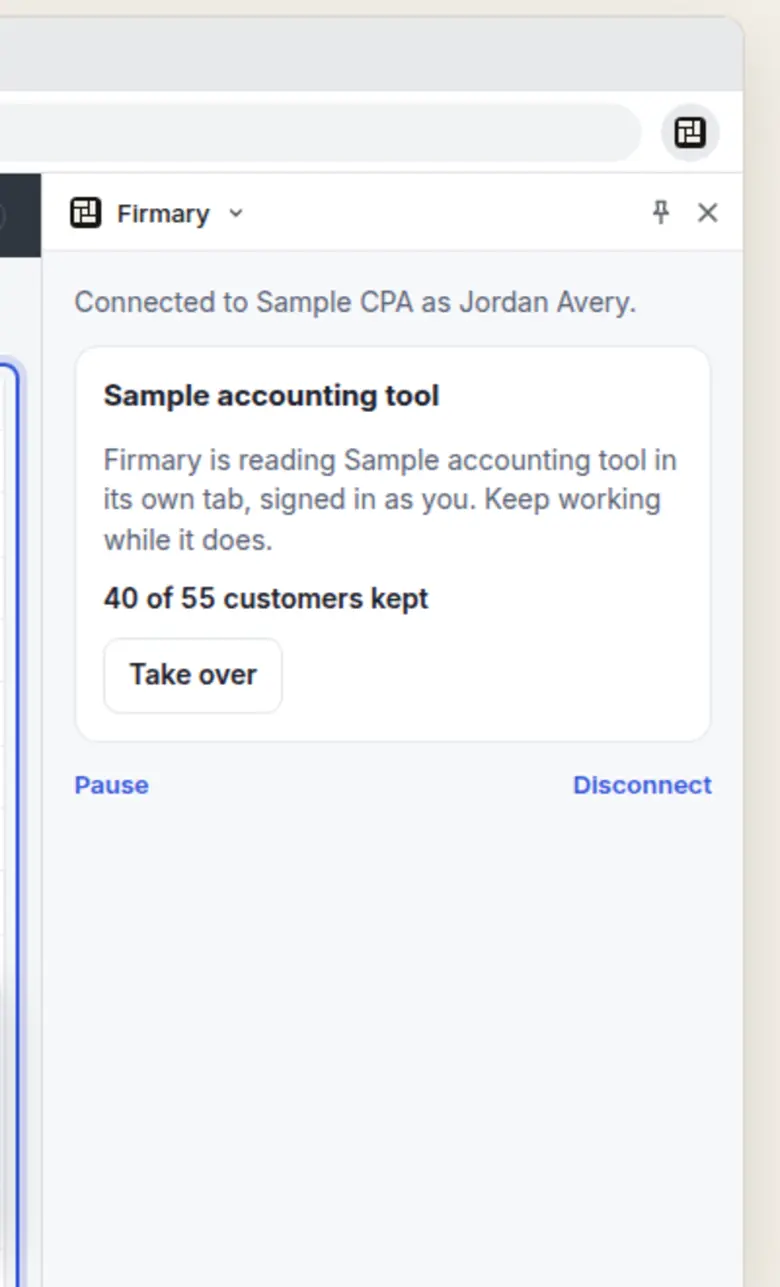
What it does
Reads clients and their records from QuickBooks Online, TaxDome, Karbon, Canopy, Financial Cents or a tool it doesn’t know.
Works in the firm’s own browser, signed in as the person, on the sites they allow.
Only reads: it never types, saves, sends or deletes in the old tool.
Hands what it reads to Move to Firmary, where it is staged as a dry run to check.
Who it’s for
Firms moving to Firmary from QuickBooks Online, TaxDome, Karbon, Canopy, Financial Cents or another tool.
How it works
- 1
Add Firmary Switch to Chrome from the Chrome Web Store.
- 2
In Firmary, open Move to Firmary and pick your tools.
- 3
Sign in to your old tool in Chrome: Switch reads it and hands the records to the dry run.
What’s included
A Chrome side panel that reads each tool page by page, signed in as you.
Pause, take over or disconnect at any time.
Sign-ins and codes handed back to you, after which it carries on.
Details
- Version
- 0.3.5, updated 10 November 2026
- Needs
- A Firmary account with Move to Firmary open
Limits
Not sold on its own: it comes with Firmary.
Google Chrome on a computer only.
It needs a Firmary account with Move to Firmary open.
Price
Comes with Firmary, from $125 a month
It installs from the Chrome Web Store and works with a Firmary account. It isn’t sold on its own. The price depends on your plan, your firm’s size (staff or active clients) and whether you pay monthly or yearly. Request a quote for your firm.
Questions
- What does Firmary Switch cost?
- Comes with Firmary, from $125 a month. It installs from the Chrome Web Store and works with a Firmary account. It isn’t sold on its own. The price depends on your plan, your firm’s size (staff or active clients) and whether you pay monthly or yearly. Request a quote for your firm.
- Does it change anything in our old tool?
- No. It only reads: it never types, saves, sends or deletes there.
- Which tools does it read?
- QuickBooks Online, TaxDome, Karbon, Canopy, Financial Cents, or a tool it doesn’t know.
- What if the old tool asks for a code?
- Firmary stops and hands it back to you. Answer it in the tool’s tab, and Firmary carries on.
Support
Email support@firmary.app, or start from Firmary’s help and setup page.
Goes with
- Moving in: Move to FirmaryWith FirmaryMove to Firmary brings a firm across from TaxDome, another practice tool or spreadsheets, staged as a dry run to check before anything goes live.
- FirmaryFrom $125 a monthFirmary is practice management software for US accounting, tax and bookkeeping firms, with PocketFirm, the client app that carries each firm’s brand.
- firmary, the command lineWith Firmaryfirmary is Firmary’s command line: firm staff, their scripts and AI coding agents work in Firmary from a terminal, under the same permissions and approvals.
Checked against the running product on November 11, 2026. Questions: support@firmary.app. Everything Firmary offers