Firmary
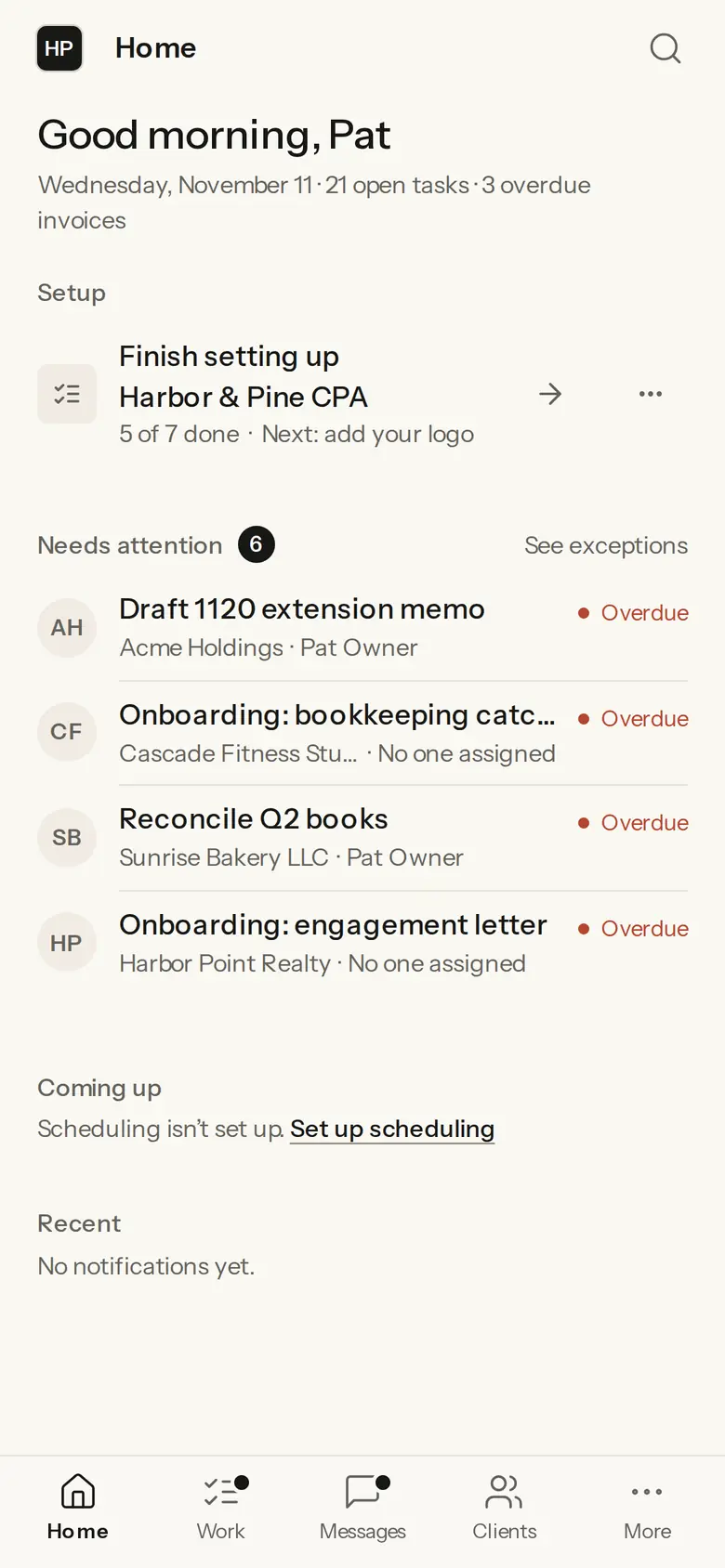
Firmary is practice management software for US accounting, tax and bookkeeping firms, with PocketFirm, the client app that carries each firm’s brand.

What it does
Keeps each client’s engagements, tasks, documents, forms, messages, proposals, e-signatures, invoices, payments and time on one client record.
Gives clients PocketFirm, under the firm’s own brand, to upload, answer, sign, approve or pay.
Lets staff work in Firmary from Claude, ChatGPT or Codex, within their own permissions, with every agent action logged.
Opens recurring work on a schedule from the firm’s templates, already assigned.
Connects to Gmail or Outlook, Google or Microsoft 365 calendars, Google Drive, OneDrive, Dropbox, QuickBooks Online and Stripe.
Has an API and webhooks for the firm’s own software.
Who it’s for
US CPA, tax, bookkeeping and advisory firms that want client work, documents, billing and messages on one client record.
Firms whose staff already use ChatGPT or Claude and want that AI working inside the firm’s rules.
Firms moving off TaxDome, another practice tool or spreadsheets.
How it works
- 1
Choose Get started and leave your work email.
- 2
Firmary emails you the next step.
- 3
Bring your clients and work across with Move to Firmary, checked as a dry run before anything goes live.
Included in the price
PocketFirm, the client app under the firm’s brand.
Every part listed under What’s in Firmary: requests and tax-form reading, forms and organizers, proposals and e-signatures, invoices, payments and time, messages and texting, workflows and recurring work, Prospects, Insights, connections, and the API and webhooks.
Your own AI apps (Claude, ChatGPT and Codex) and the built-in AI, both optional.
Move to Firmary, Firmary Switch and firmary, the command line.
Details
- AI
- Optional. A firm can do all its work directly in Firmary.
- Security
- Each firm’s data kept separate, multi-factor sign-in for owners and admins, virus scan on every upload, and an audit log.
- Moving in
- From TaxDome, another practice tool or spreadsheets, staged as a dry run first.
Limits
QuickBooks Online is the only ledger it connects to, and it doesn’t connect to tax software such as Drake, Lacerte, UltraTax, ProConnect or CCH.
Texting runs through the firm’s own phone system; Firmary doesn’t provide a number.
Price
Starting at $125 a month
The price depends on your plan, your firm’s size (staff or active clients) and whether you pay monthly or yearly. Request a quote for your firm.
Questions
- What does Firmary cost?
- Starting at $125 a month. The price depends on your plan, your firm’s size (staff or active clients) and whether you pay monthly or yearly. Request a quote for your firm.
- How do we start?
- Choose Get started and leave your work email. Firmary emails you the next step. Leaving your email doesn’t create an account or start a paid plan.
- Do we have to use AI?
- No. A firm can do all its work directly in Firmary.
- Can we move from TaxDome or spreadsheets?
- Yes. Move to Firmary brings a firm across from TaxDome, another practice tool or spreadsheets, staged as a dry run to check first.
Support
Email support@firmary.app, or start from Firmary’s help and setup page.
Goes with
- PocketFirm by FirmaryWith FirmaryPocketFirm is the client side of Firmary: an app under the firm’s own brand where clients see their work and do the one thing left for them.
- Your own AI in FirmaryWith FirmaryFirm staff can work in Firmary from Claude, ChatGPT or Codex, within their own permissions, under rules the firm sets for each agent.
- Firmary SwitchWith FirmaryFirmary Switch is a Chrome extension that reads a firm’s records out of the tools it uses today and brings them into Firmary.
Checked against the running product on November 10, 2026. Questions: support@firmary.app. Everything Firmary offers